


Build and Control an RC Car Buggy with NECTO Studio
This session explores how to set up and customize the MIKROE RC Car Buggy, a modular robotics platform designed for embedded projects. You’ll learn how to integrate wireless, motor control, and proximity Click boards™, and leverage the SiBRAIN card to scale MCU performance. NECTO Studio’s debugging and real-time control tools make it simple to program, monitor, and optimize your RC projects while maintaining modularity and flexibility.
Through practical demonstrations, you’ll see how to prototype your RC Car Buggy with NECTO Studio, combining Click boards™, CODEGRIP programming, and live system monitoring. The session emphasizes a hands-on approach to robotics, highlighting real-time control, modular system expansion, and advanced embedded project management. By the end, you’ll understand how NECTO Studio enables rapid iteration, scalable architecture, and precise control over complex RC systems.
Featured Products:
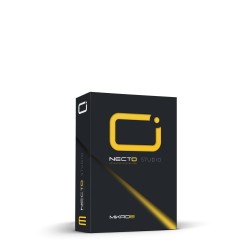

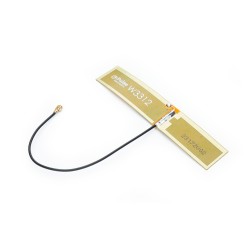
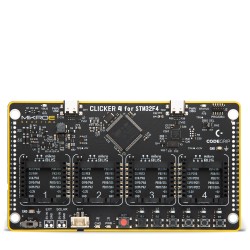


You Will Learn:
- Setting up and customizing the MIKROE`s RC Car Buggy, a modular platform.
- Using CODEGRIP to program and debug the buggy.
- Integrating wireless Click boards™, motor control Click boards™, and proximity Click boards™ for advanced functionality.
- How NECTO Studio’s tools enable real-time control and debugging for robotics and IoT projects.
Agenda:
11:00 - 11:05 (EDT)
Welcome and Brief Introduction
Exploring NECTO Studio’s role in robotics and remote control applications.
11:05 - 11:20 (EDT)
RC Car Buggy Platform Overview
Features of the RC Car Buggy by MIKROE.
Advantages of a modular approach with Click boards™.
11:20 - 11:35 (EDT)
Prototyping with NECTO Studio
Configuring the buggy with wireless, motor control, and proximity Click boards™.
Using CODEGRIP for programming and debugging.
11:35 - 11:45 (EDT)
Live Demonstration
Building and controlling the RC Car Buggy in NECTO Studio.
Showcasing real-time programming and remote control capabilities.
11:45 - 12:00 (EDT)
Q&A Session
Engage in discussions about robotics and embedded development using NECTO Studio.
NECTO Studio Webinar Host
Branko Jaksic -
Creative Roads Manager, MIKROE
Branko spent four years working on the development of NECTO Studio, gaining an in-depth understanding of its advantages and challenges. He then transitioned to the marketing department, where he focuses on helping engineers better understand NECTO Studio and showcasing its full potential.
ABOUT NECTO
NECTO Studio is a complete, cross-platform integrated development environment (IDE) for embedded applications providing everything necessary to start developing, and prototyping, including Click board applications and GUIs for embedded devices. Rapid software development is easily achieved as developers do not need to consider low-level code, freeing them up to focus on the application code itself. This means that changing the MCU or even the whole platform will not require developers to redevelop their code for the new MCU or platform. They can simply switch to the desired platform, apply the correct board definition file, and the application code will continue to run after a single compiling.
ABOUT MIKROE
MIKROE is committed to changing the embedded electronics industry through the use of time-saving industry-standard hardware and software solutions. With unique concepts like Remote Access, One New Product/Day, Multi-Architectural IDE and most recently, the EmbeddedWiki™ platform with more than million ready-for-use projects, MIKROE combines its dev boards, compilers, smart displays, programmers/debuggers and 1850+ Click peripheral boards to dramatically cut development time. mikroBUS™; mikroSDK™; SiBRAIN™ and DISCON™ are open standards and mikroBUS only has been adopted by over 100 leading microcontroller companies and integrated on their development boards.