
Pioneer Week - 20% OFF
$215.20
$269.00
$269.00
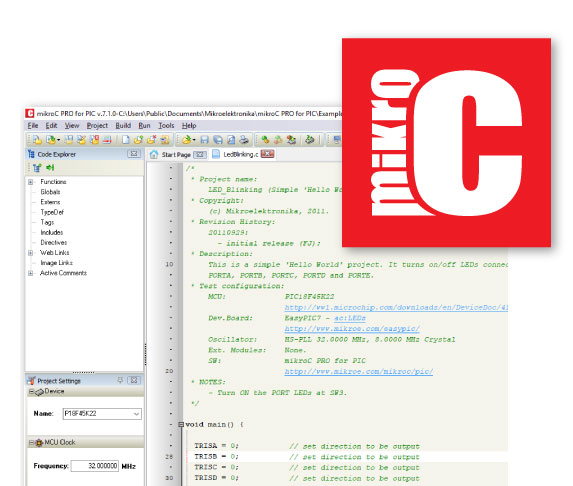
Pay once and never worry about it again. Once you buy the compiler you are entitled to lifetime free upgrades. Upgrading the compiler takes only a few minutes and a few clicks. We are constantly adding new features to the compiler, you can keep track of what is happening on the Software Roadmap page.
Our support team is always available – you can rely on our help while you are developing. The compiler license guarantees free product lifetime technical support.
Start here with Quick Start Guide
mikroC offers a unique mechanism to easily use libraries in your project, just select the libraries you need and they will be instantly available in your code. No need for dozens of #include directives. You can also install and manage third-party libraries using our package manager and library manager.
Simply select the libraries you need for your project, by checking the box. Or press the “Check All” button to include them all.
With more than 1045 library functions you’ll save time, effort and you’ll write better code.
Visit LibStock and download fully functional and working projects, and install them with a single click.


Every single library that is in our compiler is covered by a working example. More than 153 ready-made working examples, to help you understand how the library works or give you useful code snippets for your project.
The mikroC PRO for PIC currently supports over 808 MCUs and we are constantly adding new ones.
You can be part of the process by letting us know what microcontroller you wish to see supported next, by using our helpdesk and submitting a ticket.

| Toolchain | Vendor | Device | Pins | Flash (KB) | RAM (bytes) | Clock (MHz) | CODEGRIP | mikroProg | Datasheet | ||
|---|---|---|---|---|---|---|---|---|---|---|---|
| Programmer | Debugger | Programmer | Debugger | ||||||||
The integrated solution allows for a streamlined workflow. Drag and drop graphic elements while the compiler generates the code automatically in the background. Modify the generated code in the compiler and create event functions. Seamlessly switch between designing and coding using keyboard shortcut F12.
Try it out for yourself and create fully functional GUIs with just a few clicks. And don’t worry about the code, the compiler will take care of that.
Visual TFT supports 17 TFT controllers and nine different touch panel controllers (both capacitive and resistive). So, we even have the hardware prepared for your next graphic project.


The ideal environment for you to write, compile, execute, and debug your code. All the tools you could think of, and more, are there. The Library Manager, Interrupt Assistant, Project Explorer, Quick Converter and more.
Click here to get an in-depth explanation of each part of the IDE.

mikroC comes equipped with fully-functional software tools that can boost your efficiency and do the job for you, so you can be more productive in your work: LCD Custom Character Tool, GLCD Bitmap Editor, Seven Segment Editor, UART Terminal, UDP Terminal, HID Terminal, ASCII Chart, Active Comments Editor, Interrupt Assistant, Advanced Statistics and much, much more.


Detect and correct all the code errors in seconds. mikroC has native support for hardware debugging when used with the mikroProg in-circuit programmer and debugger. It supports Step-over, Step-into, Step-out, Run, and Run To Cursor debugging operations. Also, the debugger supports standard and advanced breakpoints, which enable you to exploit the full potential of hardware debugging.
The help file is the best place to start if you want to get to know the compiler. The easy-to-read format and detailed explanations of every functionality and feature will make you an expert in no time.


Buy the compiler and the License Code will be sent to your inbox instantly. Once you activate the license you can use it on up to two computers.
Do you need a portable license, that can be used on multiple computers? USB Dongle license is the perfect solution.
Own, manage, and deploy multiple software licenses. Instead of buying several licenses at a regular price, use the Site License option and get licenses for your whole team or class at a special price. Learn more.
Code, compile, program, and debug – all in one environment. Choose the development board, and you’ll soon see that the rest of the tools are perfectly arranged around it.
mikroLab contains everything a developer needs to explore the possibilities of the microcontroller architectures we offer: a development board (with integrated programmer and debugger), the compiler license, an assortment of accessories, and as a bonus, a free license for one of our GUI design tools (either Visual TFT or Visual GLCD).
With the integrated Visual TFT you can create amazing user interfaces, simply drag and drop visual elements and the compiler will generate the code for you. Save time and focus on making your graphic design the best possible.
Seamlessly switch between designing and coding using keyboard shortcut F12.

Manage all your data quickly and easily. Make the workspace comfortable and suited to your need. Use the default layout of the IDE, or arrange the windows manually. Navigate through all the projects you are working seamlessly and save time with the intuitive IDE of the mikroC compiler.

CODEGRIP implementation is the newest addition to our PIC compilers with the release version 7.5.0.
The ideal environment for you to write, compile, execute, and debug your code. Now, with full CODEGRIP support implemented in IDE.
Program or debug directly from IDE, whether using CODEGRIP or mikroProg or tweak any of the advanced options (Power target circuit, Connection Speed and verifying MCU writes).
Libstock Manager is the newest addition to our PIC compilers with the release version 7.2.0.
Visiting Libstock, searching for the Click board™ you want, downloading the packages and so forth, all those tasks are not necessary now, we brought Libstock closer to you - everything is right there inside your compiler.
You can also buy the Click board™ you want straight from the comfort of your IDE. Simply click on the “Buy HW” button once you have selected a particular click board™.
Libstock Manager is constantly updated with new Click boards™. You can keep track of things by checking the “Updates” and “New” tab inside the Libstock Manager.


Edit Project gives you a full overview of the entire set of configuration bits in each chip. Select only among listed options, described in simple terms. Edit project includes predefined schemes of oscillator settings for most widely used microcontrollers. Simply load your desired scheme, and you are ready to go.
Don’t waste your time browsing for examples. Let them come to you. New Project Explorer window leads you to your projects. It displays all of compiler’s many included examples by default. But simply point the path to any other folder and fast recursion-search algorithm will extract all of projects inside and will display a tree view of your project files up to any depth. Double click opens the project and sets it as active. Easily switch between the projects as often as you want.
Only mikroC offers the unique mechanism to easily use any available library in your project. Special OneClick technology allows you to speed up your development.
Just click on the checkboxes of the libraries you need and they will be instantly available in your code. As we always think one step ahead, we programmed Library manager to allow easy usage of third party libraries installed with Package Manager software.

Notice: Visit LibStock and download fully functional and working projects, and install them with a single click.


Control-space is probably the most widely used shortcut among programmers. Why? Because it initiates Code Assistant - programmer’s first aid kit. No one needs to memorize function names.
Focus on your code, and let the syntax write itself correctly. Write function calls with one click of your keyboard. Code assistant in mikroC PRO for PIC also suggests correct names of constants, URLs, Active comments and variables, so you have it all covered. You don’t ever have to get another Syntax error message.
Use Code Completion for all those times when you need to list identifier names that contain a certain word, or when you only know a part of the identifier name.
Simply type \* in the Code Editor, followed by the phrase, and presses Ctrl+Space - a list of identifiers containing this phrase will be shown.


We have developed Active Comments - a unique feature of mikroC PRO for PIC. Any comment can become your multimedia event hook.
Add images, files and URLs to any active comment and assign events as you like.
Right Mouse Click can open browser with URL, Mouse Over can display the image, and Double Click can open a specified file.
You can add:
Easily declare a local variable.


The compiler also includes the Interrupt Assistant, that can help you in configuring interrupts.
You can launch it from the drop-down menu Tools › Interrupt Assistant.
Many functions. Even more parameters. Was it word, or byte? You don’t have to scroll through Help file.
Just hit CTRL+SHIFT+SPACE and function parameters will be listed for you.


When your code overgrows the size of your screen, it’s always better to fold those completed blocks, and work in a clearer surrounding.
This way you can always see the big picture.
What’s the point of a compiler if you have to do all the hard work yourself. mikroC PRO for PIC offers you several most useful integrated tools that will help you get the job done with minimum effort.


Your fast pocket converter of binary, float, HEX and Radix 1.15 formats into formats you need in your code.
It even displays ASCII values of your bytes.
mikroC PRO for PIC has native support for hardware step-by-step In-Circuit Debugger when used with fast USB 2.0 mikroProg™ programmer (in both on-board and standalone version). Debugger is a separate DLL module which supports Step-over [F8], Step-into[F7], Step-out[Ctrl+F8], Run[F6], Run To Cursor[F4] debugging operations. Also, debugger supports standard and advanced breakpoints, which enable you to exploit the full potential of fast debugging.


If you want to go through your code and monitor the values of your variables searching for bugs and errors, Software Simulator is the best way to do so.
Software simulator supports all debugging modes as hardware debugger, but instead of executing the code on real hardware, it simulates code flow on your PC. Using Watch Clock you can precisely measure the code execution time in microseconds or in clock cycles.
After you build your project, you can always look under the hood with mikroC’s Advanced Statistics. It is a powerful tool that visually describes most important information about your project.
Take a look at your variables, arrays and constants and know how much memory your program consumes. See which function calls which in the functions tree window. See how big are your functions and how are they linked in memory, which is especially important if you want to write your own bootloader applications.

Added:
ICD support for additional 21 MCUs added (through CODEGRIP):
          P16F15385    P16F15386    P18F55K42
          P18F56K42    P18F57K42    P18F65J94
          P18F66J93    P18F66J94    P18F67J94
          P18F85J94    P18F86J72    P18F86J93
          P18F86J94    P18F87J72    P18F87J94
          P18F95J94    P18F96J94    P18F97J94
          P18LF55K42   P18LF56K42   P18LF57K42
Fixed:
Added: Additional functions in CString library:
Added: Additional functions in Conversions library:
Added:
Fixed:
Improved:
Added:
Expanded:
CODEGRIP support implemented in IDE (program, debug and advanced options)
New Capacitive touch controllers supported in VisualTFT:
New screen events introduced for FT5XXX capacitive touch controllers (in VisualTFT):
ICD support for additional 57 MCUs added:
      P16F15313   P16F19155     P16LF1764
      P16F15323   P16F19156     P16LF1765
      P16F15324   P16F19175     P16LF1768
      P16F15325   P16F19176     P16LF1769
      P16F15344   P16LF15313    P16LF19155
      P16F15345   P16LF15323    P16LF19156
      P16F15354   P16LF15324    P16LF19175
      P16F15355   P16LF15325    P16LF19176
      P16F15356   P16LF15344    P18F24K42
      P16F15375   P16LF15345    P18F25K42
      P16F15376   P16LF15354    P18F26K42
      P16F1574    P16LF15355    P18F27K42
      P16F1575    P16LF15356    P18F45K42
      P16F1578    P16LF15375    P18F46K42
      P16F1579    P16LF15376    P18F47K42
      P16F1764    P16LF1574     P18LF27K42
      P16F1765    P16LF1575     P18LF45K42
      P16F1768    P16LF1578     P18LF46K42
      P16F1769    P16LF1579     P18LF47K42
Version 7.3.0 Beta of mikroC, mikroBasic and mikroPascal for PIC has been released.
DOWNLOADAdditional 189 MCU supported:
P16F15313   P16LF1778   P18LF2423   P18LF4585
P16F15323   P16LF1779   P18LF2431   P18LF45K40
P16F15324   P16LF18323  P18LF2450   P18LF45K42
P16F15325   P16LF18324  P18LF2455   P18LF4610
P16F15344   P16LF18325  P18LF2458   P18LF4620
P16F15345   P16LF18326  P18LF2480   P18LF4680
P16F15356   P16LF18344  P18LF24K40  P18LF4682
P16F15375   P16LF18345  P18LF24K42  P18LF4685
P16F15376   P16LF18346  P18LF2510   P18LF46K40
P16F15385   P16LF18854  P18LF2515   P18LF46K42
P16F15386   P16LF18855  P18LF2520   P18LF47K40
P16F19155   P16LF18856  P18LF2523   P18LF47K42
P16F19156   P16LF18857  P18LF2525   P18LF55K42
P16F19175   P16LF18875  P18LF2553   P18LF56K42
P16F19176   P16LF18876  P18LF2580   P18LF57K42
P16F19185   P16LF18877  P18LF2585   P18LF6310
P16F19186   P16LF19155  P18LF25K40  P18LF6390
P16F19195   P16LF19156  P18LF25K42  P18LF6393
P16F19196   P16LF19175  P18LF2610   P18LF6410
P16F19197   P16LF19176  P18LF2620   P18LF6490
P16LF15313  P16LF19185  P18LF2680   P18LF6493
P16LF15323  P16LF19186  P18LF2682   P18LF6520
P16LF15324  P16LF19195  P18LF2685   P18LF6527
P16LF15325  P16LF19196  P18LF26K40  P18LF65K40
P16LF15344  P16LF19197  P18LF26K42  P18LF6622
P16LF15345  P18F24K42   P18LF27K40  P18LF6627
P16LF15354  P18F25K42   P18LF27K42  P18LF6628
P16LF15355  P18F25K83   P18LF4220   P18LF66K40
P16LF15356  P18F26K42   P18LF4221   P18LF6722
P16LF15375  P18F26K83   P18LF4320   P18LF6723
P16LF15376  P18F27K42   P18LF4321   P18LF67K40
P16LF15385  P18F45K42   P18LF4331   P18LF8310
P16LF15386  P18F46K42   P18LF4410   P18LF8390
P16LF1574   P18F47K42   P18LF4420   P18LF8393
P16LF1575   P18F55K42   P18LF4423   P18LF8410
P16LF1578   P18F56K42   P18LF4431   P18LF8490
P16LF1579   P18F57K42   P18LF4450   P18LF8493
P16LF1614   P18LF1220   P18LF4455   P18LF8520
P16LF1615   P18LF1230   P18LF4458   P18LF8527
P16LF1618   P18LF1320   P18LF4480   P18LF8622
P16LF1619   P18LF1330   P18LF4510   P18LF8627
P16LF1764   P18LF2220   P18LF4515   P18LF8628
P16LF1765   P18LF2221   P18LF4520   P18LF8720
P16LF1768   P18LF2320   P18LF4523   P18LF8722
P16LF1769   P18LF2321   P18LF4525   P18LF8723
P16LF1773   P18LF2331   P18LF4550
P16LF1776   P18LF2410   P18LF4553
P16LF1777   P18LF2420   P18LF4580
New:
Improved:
Fixed:
Version 7.1.0. of mikroC, mikroBasic and mikroPascal for PIC has been released today, together with the update to mikroProg Suite. The new version was released to add ICD support for 35 new MCUs. List available below.
ICD support for additional 35 MCUs:
P16F1508    P16F18344   P16LF18313
P16F1509    P16F18345   P18F24K40
P16F1773    P16F18346   P18F25K40
P16F1776    P16F18854   P18F26K40
P16F1777    P16F18855   P18F27K40
P16F1778    P16F18856   P18F45K40
P16F1779    P16F18857   P18F46K40
P16F18313   P16F18875   P18F47K40
P16F18323   P16F18876   P18F65K40
P16F18324   P16F18877   P18F66K40
P16F18325   P16LF1508   P18F67K40
P16F18326   P16LF1509
Version 7.1.0. of mikroC, mikroBasic and mikroPascal for PIC has been released on March 16, together with the update to mikroProg Suite. The new version was released to add ICD support for 35 new MCUs. List available below.
Additional 40 MCUs supported:
P10F320     P16F18854
P10F322     P16F18855
P10LF320    P16F18856
P10LF322    P16F18857
P16F15354   P16F18875
P16F15355   P16F18876
P16F1773    P16F18877
P16F1776    P16LF1566
P16F1777    P16LF1567
P16F1778    P16LF18313
P16F1779    P18F24K40
P16F18313   P18F25K40
P16F18323   P18F26K40
P16F18324   P18F27K40
P16F18325   P18F45K40
P16F18326   P18F46K40
P16F18344   P18F47K40
P16F18345   P18F65K40
P16F18346   P18F66K40
P18F67K40   P16LF2550
Fixes:
New features:
Improvements:
Fixes:
Improvements:
Fixes:
PIC16F1574 PIC16F1575  PIC16F1578  PIC16F1579
PIC16F1764  PIC16F1765  PIC16F1768  PIC16F1769
PIC12F1571 PIC16F1718  PIC16LF1713 PIC18LF45K50
PIC12F1572  PIC16F1719  PIC16LF1716 PIC12F1612
PIC16F1784  PIC16LF1717 PIC12LF1501 PIC16F1786
PIC16LF1718 PIC12LF1571 PIC16F1787  PIC16LF1719
PIC12LF1572 PIC16F1788  PIC16LF1784 PIC12LF1612
PIC16F1789  PIC16LF1786 PIC16F1454  PIC16F1829LIN
PIC16LF1787 PIC16F1512  PIC16F753 PIC16LF1788
PIC16F1513  PIC16HV753  PIC16LF1789 PIC16F1613
PIC16LF1454 PIC18F65J94 PIC16F1703  PIC16LF1512
PIC18F66J94 PIC16F1704  PIC16LF1513 PIC18F67J94
PIC16F1705  PIC16LF1613 PIC18F85J94 PIC16F1707
PIC16LF1703 PIC18F86J94 PIC16F1708  PIC16LF1704
PIC18F87J94 PIC16F1709  PIC16LF1705 PIC18F95J94
PIC16F1713  PIC16LF1707 PIC18F96J94 PIC16F1716
PIC16LF1708 PIC18F97J94 PIC16F1717  PIC16LF1709
PIC18LF24K50
PIC12F1501 PIC16F1455
PIC16F1459  PIC16F1508
PIC16F1509  PIC16LF1455
PIC16LF1459 PIC16LF1503
PIC16LF1507 PIC16LF1508
PIC16LF1509 PIC16LF1782
PIC16LF1783 PIC16LF1847
PIC18F24K50 PIC18F25K50
PIC18F45K50 PIC18F66J99
PIC18LF25K50

Choose this licensing option if you want to activate your compiler license in seconds. You can use it on up to two computers. We will send you the Registration code as soon as you purchase the compiler, which you will use to request the Activation code. That is the whole process - your compiler license is activated. It’s the quick and straightforward licensing option for this fast-paced world.
Plug the USB Dongle into your computer and activate the license. Use your compiler license anywhere. If you are looking for a portable license that can be used on different computers the USB Dongle license is what you need. The USB Dongle contains a single license, it registers the compiler while it's connected. So, carry it anywhere with you. You will not be tied to one computer or one office.

The regular licensing model for MikroElektronika software works best for individual users. If you run a two-person team, a whole R&D department, or teach a class, the Site License is a better solution. It allows you to own, manage and deploy multiple single licenses, with some major benefits:
Affordable: Instead of buying multiple licenses at regular price, we will quote a special discounted price. Schools and universities will get the best deals.
Flexible: With the Site license, individual licenses are not tied to individual computers/users. In other words, you don’t have to buy a compiler license for each person who will use it. The number of licenses you own only defines how many compiler copies can be in active use at the same time. You control who has access.
20%
OFF
PID: MIKROE-1943

Secure online payments provided by 2Checkout.com, Inc.
All credit card and personal details are kept secure, and our customer list is not disclosed to any third party.


