Easy24-33 v6 Development System

Easy24-33 v6 Development System
Bookmark and Share

Note: Character LCD, 2.4 GHz IEEE 802.15.4 Transceiver Module, DS1820 are not included in the price!

Overview

User-Friendly PIC24 and dsPIC33 development system

The Easy24-33 v6 supports 14-, 18-, 20- and 28-pin PIC24 and dsPIC33 MCUs from Microchip.

On-Board USB 2.0 PIC24 (dsPIC33) Programmer

Very fast, on-board USB 2.0 programmer with a simplified driver installation.

On-board In-Circuit Debugger

The mikroICD is a hardware tool designed for debugging programs on PIC24 and dsPIC33 devices.


The Easy24-33 v6 allows PIC24 and dsPIC33 microcontrollers to be interfaced with a wide range of peripheral modules.

FTDI Enabled

The board features a USB to serial UART interface FT232R that can be easily connected to a PC.

Touch Sense Enabled

The system features an on-board Touch Sense - capacitance sensing that can be used for input testing.


What's On-Board

USB UART module FT232RL

On-board USB UART module features FT232RL - An interface between a USB device and the host device.

DIP Switch

The system can be easily configured via DIP switches. Each DIP switch configures a part of the system.

USB Connector

USB connector with LED indication for microcontrollers with USB facilities.

 
dsPIC33 and PIC24 Supported

The system supports 14-, 18-, 20- and 28-pin dsPIC33 and PIC24 MCU. It comes with a PIC24F16KA102.

2 ADC potentiometers

2 potentiometers are used for testing multiple AD conversions. Inputs can be configured via jumpers.

Power Switch

USB or external power supply source is selected by moving a jumper. Power supply switch turns the system on/off.

 
3.3 MCU Power Supply

3.3 MCU Power Supply enables the microcontroller to operate stably.

IDC10 connectors

All microcontroller pins are connected to 2x5 connectors for further expansion.

LEDs (Light Emmiting Diode)

23 LEDs and push buttons are used to indicate pins' logic state and test inputs of all pins at the same time.

 
Pull-up/pull-down port configuration

On-board jumpers are used for pull-up/pull-down port configuration. These jumers are available for all pins.

RS232 Communication

RS-232 communication with a PC or an MCU is performed via DB9 connector.

ICD2 Connector

External ICD connector is used to connect In-circuit debugger. Jumpers are used for microcontroller pin selection.

 
LCD Display

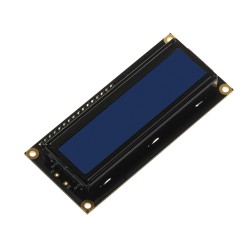
LCD Display can be easily connected via the on-board connector that is also connected to MCU pins.

USB 2.0 Programmer with mikroICD support

Very fast, on-board USB 2.0 programmer with mikroICD. There is no need for connecting the external programmer.

Voltage Selection

Voltage level to be applied when a button is pressed (GND or +3.3V) is selected via the on-board jumper.

 
DS1820 Temperature Sensor Supported

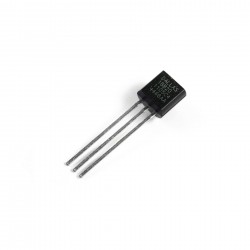
Temperature Sensor DS1820 measures temperature from -55°C to 125°C. It is connected to the system via socket.

MRF24J40 Transceiver Chip

On-board 2.4 GHz IEEE 802.15.4 Transceiver Module (optional).

Reset Circuit

Reset circuit is used to reset the microcontroller. It is connected to the MCLR pin of the microcontroller.

 
Potentiometer for LCD Contrast

LCD Contrast Potentiometer is used to adjust LCD contrast in a fast and easy way.

Piezo Buzzer

Piezo Buzzer is capable of emitting audio signals in frequency range between 20Hz and 20Khz.

CAN module

CAN transceiver MCP2551 is used for communication with other microcontrollers.

 
Serial EEPROM

Serial EEPROM 24AA01 can store up to 1Kbit of data and uses I2C communication.

Serial RAM

64 Kbit Serial SRAM module 23K640 uses SPI communication interface.

Oscillator Inputs

Quartz Crystal is replaceable. The MCU pins can be configured via jumpers as oscillator inputs or regular I/O pins.

 
Screw terminal

Screw terminal enables easier connection with external modules.

PROTO Area

Prototyping Area enables you to add various electronic components. VCC and GND lines are also availiable.

Touch Sense

Touch Sense enables input signal testing for devices that have CTMU used for capacitance sensing.


On-Board USB 2.0 Programmer and In-Circuit Debugger

On-Board LvPICFlash with mikroICD support 3in1 Development System

3 in 1 Development System - Development System + On-Board USB 2.0 programmer + On-Board mikroICD (In-Circuit Debugger): mikroICD is a highly effective tool for Real-Time debugging at hardware level. The mikroICD enables you to execute a mikroC PRO, mikroPascal PRO or mikroBasic PRO program on a host PIC24 or dsPIC33 microcontroller and view variable values, Special Function Registers (SFRs), RAM and EEPROM memory modules while the program is running. There is also an ultra fast USB 2.0 PIC24 (dsPIC33) programmer for fast device programming that now supports more PIC24 and dsPIC33 microcontrollers.

Windows® Certified Drivers

Drivers for the on-board programmer are Microsoft® Windows® XP, Windows® Vista and Windows® 7 certified. The Windows certificate is a proof that the programmer supports mentioned Windows operating systems and is immediately recognized by the system, which guarantees correct Plug and Play functionality. Driver certification provides users with a wide range of benefits such as stable functioning, the ability to install and delete drivers without rebooting and compatibility with future versions of Windows.

Windows Certified Drivers

Supported Microcontrollers

The Easy24-33 v6 development system supports a wide range of PIC24 and dsPIC33 microcontrollers. Newly released PIC24 and dsPIC33 MCUs will be supported by a new version of the LvPICFlash software that is updated regularly. Here is a list of microcontrollers that are supported by the Easy24-33 v6 development system:

dsPIC33FJ Family
dsPIC33FJ12GP201-DIP18 dsPIC33FJ12MC201-DIP20 dsPIC33FJ06GS102-DIP28 dsPIC33FJ06GS202-DIP28
dsPIC33FJ16GS402-DIP28 dsPIC33FJ16GS502-DIP28 dsPIC33FJ12GP202-DIP28 dsPIC33FJ12MC202-DIP28
dsPIC33FJ32GP202-DIP28 dsPIC33FJ128GP802-DIP28 dsPIC33FJ128GP202-DIP28 dSPIC33FJ64GP802-DIP28
dsPIC33FJ64GP202-DIP28 dsPIC33FJ32GP302-DIP28 dsPIC33FJ32MC202-DIP28 dsPIC33FJ128MC802-DIP28
dsPIC33FJ128MC202-DIP28 dsPIC33FJ64MC802-DIP28 dsPIC33FJ64MC202-DIP28 dsPIC33FJ32MC302-DIP28
PIC24F Family
PIC24F04KA200-DIP14 PIC24F04KA201-DIP20 PIC24F08KA101-DIP20 PIC24F16KA101-DIP20
PIC24F16KA102-DIP20 PIC24F08KA102-DIP20 PIC24FJ16GA002-DIP28 PIC24FJ32GA002-DIP28
PIC24FJ48GA002-DIP28 PIC24FJ64GA002-DIP28 PIC24FJ32GA102-DIP28 PIC24FJ64GA102-DIP28
PIC24FJ32GB002-DIP28 PIC24FJ64GB002-DIP28

PIC24HJ Family
PIC24HJ12GP201-DIP18 PIC24HJ12GP202-DIP28 PIC24HJ32GP202-DIP28 PIC24HJ128GP802-DIP28
PIC24HJ128GP202-DIP28 PIC24HJ64GP802-DIP28 PIC24HJ64GP202-DIP28 PIC24HJ32GP302-DIP28


Examples

Examples provided with this development system will show you how to easily connectPIC24 and dsPIC33 MCUs with other peripheral modules and how to use them to develop your prototype device. Each example contains a detailed description and the relevant program including comments. All examples can be downloaded from this page as well.

  • Demonstration of the ADC library for dsPIC usage - The analog input value is read on the channel 10, then that value is converted into a string and sent via the UART1.
  • Example of using I2C library routines. It establishes I2C bus communication with the 24C02 EEPROM chip, writes one byte of data on some location, then reads it and displays it on PORTB.
  • LED Blinking and LED Curtain examples.
  • MRF24J40 Transceiver Chip Example demonstrates simple wireless communication using 2.4 GHz IEEE 802.15.4 Transceiver Module.
  • Simple example that demonstrates the usage of UART communication. The data is sent to dsPIC via UART and sent back.
  • Simple demonstration of the on-board buttons usage.
  • CAN Network demonstration - This example demonstrates how to use the on-board CAN module.
  • Example of using  a 64 Kbit Serial SRAM device 23K640 by introducing its functions for following tasks: init, write data, read data, etc.
  • Touch Sense Example demonstrates how to use device CTMU connected to input capacitance sensing pheripheral.
  • Simple demonstration of how to read temperature from DS1820 (temperature sensor). Temperature is displayed on LCD.
  • On-board FTDI chip demonstration. The data is sent to dsPIC via FT232RL chip (UART to USB) and sent back.
  • Example for advanced communication with the 24C02 EEPROM chip by introducing its own library of functions for the following tasks: init, single write, single and sequential read.
  • Demonstration of LCD functions. LCD is first initialized (PORTB, 4-bit data interface, default pin settings), then some text is written in the first and second row.
  • Example of using on-board Piezo Buzzer. By pressing PORTD command buttons user plays a predefined pattern of sound using Sound library.
  • MMC/SD Example which demonstrates simple operations with MMC/SD card such as read and write functions, and observe the results through the Usart Terminal.
 

Package Details

The development tool is packed in the protective box along with the relevant documentation and software CD. This box is very resistant to all kinds of damages and shocks. Note: Character LCD, 2.4 GHz IEEE 802.15.4 Transceiver Module, DS1820 are not included in the price. The package contains:

Package
  • Easy24-33 v6 Development System.
  • PIC24F16KA102 device.
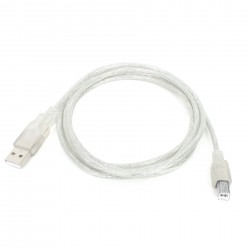
  • USB cable.
  • CD with software, drivers and examples in C, BASIC and Pascal.
  • Printed documentation includes: Easy24-33 v6 Manual, Easy24-33 v6 Schematic, mikroICD Manual and Quick Guide for Installing USB Drivers.
Included Compilers

This product is shipped with a fully functional demo version of mikroC PRO for dsPIC30/33 and PIC24, mikroBasic PRO for dsPIC30/33 and PIC24 and mikroPascal PRO for dsPIC30/33 and PIC24 compilers. It contains a hex output limited to 6k of program words. These compilers come with selected examples for easy prototype development.

Accessory Boards

Accessory Boards were designed to allow students or engineers to easily exercise and explore the capabilities of the various microcontrollers with peripheral devices such as: ADC, DAC, CAN, Ethernet, IrDA, MP3, RS485 and many more. Click on the image below to find accessory boards that suits your needs. Note: Accessory Boards are sold separately.

Accessory Boards
 

Ordering Information

We deliver our products to all countries in the world using following shipping options:

Shipping Information
  • DHL Express: $25.00 USD for up to 5 Kgs, usually arrives in 2-4 business days.
  • Post Office: $25.00 USD, no weight limit, usually arrives in 7-12 business days.

Ordering of our products is done via 2Checkout payment gateway. If you have any problems with CC processing or you want to pay directly to our bank account please inform us:

2Checkout.com is an authorized reseller of goods and services provided by mikroElektronika

All credit card and personal details are kept secure, and our customer list is not disclosed to any third party, so you never have to worry about your credit card safety. Most shipments are sent within 48 hours of your order. Online purchasing experience of mikroElektronika products is fast, simple and secure. 2Checkout.com is an authorized reseller of goods and services provided by mikroElektronika.

You can also purchase this board via Microchip Direct

Go!

  • Buy Now $139.00 USD Easy24-33 v6 Development System
  • Optional:
  • Buy Now $16.00 USD MRF24J40 2.4 GHz IEEE 802.15.4 Transceiver Module
  • Buy Now $1.50 USD Serial Cable
  • Buy Now $15.00 USD 2x16 LCD and DS1820 temperature sensor