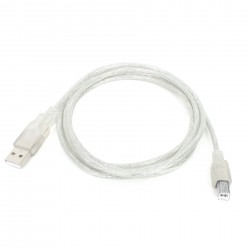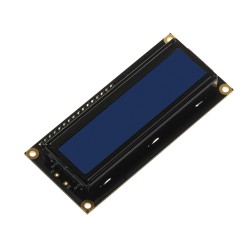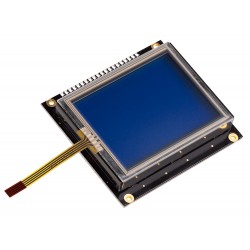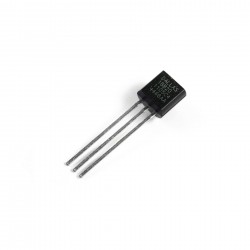
NOTE: Touch Screen, Pencil, DS1820, MMC/SD Card, LCD, Serial Cable and GLCD are not included in the price!
Overview
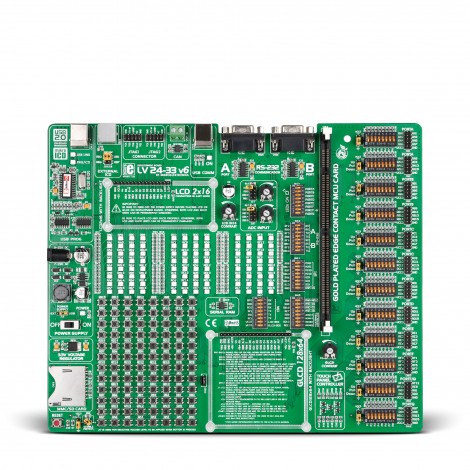
LV 24-33 v6 is a development system that supports 64- ,80- and 100-pin PIC24 and dsPIC33 MCUs.
Very fast, on-board USB 2.0 programmer with a simplified driver installation.
mikroICD is designed to test and debugg programs on PIC24 and dsPIC33 MCUs.
LV 24-33 v6 allows PIC24 and dsPIC33 microcontrollers to be interfaced with a wide range of peripheral devices.
On-board, high-speed CAN Transceiver MCP2551.
On-board Touch Screen controller with a Touch Panel connector.
What's On-Board
Double RS-232 communication with a PC or an MCU is performed via DB9 connector.
System can be easily configured via DIP switches. Each DIP switch configures one part of the system.
MMC\SD card slot enables you to easily use MMC/SD cards in your work.
System supports 64-, 80- and 100-pin dsPIC33 and PIC24 MCUs. It comes with a PIC24FJ128GA010.
2 potentiometers are used for testing multiple A/D conversions. Inputs can be configured via jumpers.
USB or external power supply source is selected by moving a jumper. Power supply switch turns the system on/off.
3.3 MCU Power Supply is placed near the MCU and enables it to operate stably.
All pins are connected to the IDC10 connectors for further expansion.
96 LEDs are used to indicate the logic state of all microcontroller pins.
On-board jumpers are used for pull-up/pull-down configuration. These jumpers are available for all pins.
96 push buttons are used to excite microcontroller digital inputs. They are connected to all microcontrollers pins.
ICD2 connector for In-circuit debugger. There are also jumpers for microcontroller pin selection.
LCD can be easily connected to the board via the on-board connector that is also connected to MCU pins.
Very fast, on-board USB 2.0 programmer with mikroICD. There is no need to connect the external programmer.
Voltage level to be applied when a button is pressed (GND or +3.3V) is selected via the on-board jumper.
Touch Screen can be connected to the on-board controller via the Touch screen connector.
Graphic LCD 128x64 can be easily connected via the on-board connector.
Reset circuit is used to reset the microcontroller. It is connected to the MCLR pin of the microcontroller.
LCD Contrast Potentiometer is used for adjusting LCD contrast.
Two JTAG ports are used to support in-circuit debugger and firmware programming.
MCP2551 CAN Transceiver is used for communication with other microcontrollers.
USB connector with LED indication for microcontrollers with USB facilities.
64-Kbit Serial SRAM 23K640 uses SPI communication interface.
GLCD Contrast Potentiometer is used for adjusting Graphic LCD contrast.
On-Board USB 2.0 Programmer and In-Circuit Debugger

3 in 1 Development System - Development System + On-Board USB 2.0 programmer + On-Board mikroICD (In-Circuit Debugger): mikroICD is a highly effective tool for Real-Time debugging at hardware level. It enables you to execute mikroC PRO, mikroPascal PRO and mikroBasic PRO programs on a host PIC24 or dsPIC33 microcontroller and monitor variable values, Special Function Registers (SFRs), RAM and EEPROM memory modules while the program is running. There is also an ultra fast USB 2.0 programmer for MCU programming that now supports more PIC24 and dsPIC33 microcontrollers.
Windows® Certified Drivers
Drivers for the on-board programmer are Microsoft® Windows® XP, Windows® Vista and Windows® 7 certified. The Windows certificate is a proof that the programmer supports mentioned Windows operating systems and is immediately recognized by the system, which guarantees correct Plug and Play functionality. Driver certification provides users with a wide range of benefits such as stable functioning, the ability to install and delete drivers without rebooting and compatibility with future versions of Windows.

Supported Microcontrollers
The LV 24-33 v6 development system supports a wide range of microcontrollers including PIC24 and dsPIC33 microcontrollers. Newly released PIC24 and dsPIC33 microcontrollers will be supported by a new version of LvPICFlash software that is updated regularly. Here is a list of microcontrollers supported by the LV 24-33 v6 development system:
| PIC24FJ Microcontroller Family | ||||||||
|---|---|---|---|---|---|---|---|---|
| PIC24FJ64GB106 | PIC24FJ128GB106 | PIC24FJ192GB106 | PIC24FJ256GB106 | PIC24FJ64GB108 | ||||
| PIC24FJ128GB108 | PIC24FJ192GB108 | PIC24FJ256GB108 | PIC24FJ64GB110 | PIC24FJ128GB110 | ||||
| PIC24FJ192GB110 | PIC24FJ256GB110 | PIC24FJ64GA006 | PIC24FJ96GA006 | PIC24FJ128GA006 | ||||
| PIC24FJ64GA008 | PIC24FJ96GA008 | PIC24FJ128GA008 | PIC24FJ64GA010 | PIC24FJ96GA010 | ||||
| PIC24FJ128GA010 | PIC24FJ128GA110 | PIC24FJ192GA110 | PIC24FJ256GA110 | PIC24FJXXGB004 | ||||
| PIC24FJXXGA004 | PIC24FJXXGA104 | |||||||
| PIC24HJ Microcontroller Family | ||||||||
| PIC24HJ64GP206 | PIC24HJ64GP210 | PIC24HJ64GP506 | PIC24HJ64GP510 | PIC24HJ128GP206 | ||||
| PIC24HJ128GP2108 | PIC24HJ128GP506 | PIC24HJ128GP5108 | PIC24HJ128GP3066 | PIC24HJ128GP31016 | ||||
| PIC24HJ256GP2066 | PIC24HJ256GP21016 | PIC24HJ256GP610 | PIC24HJ64GP206A | PIC24HJ64GP210A | ||||
| PIC24HJ64GP506A | PIC24HJ64GP510A | PIC24HJ128GP206A | PIC24HJ128GP210A | PIC24HJ128GP506A | ||||
| PIC24HJ128GP510A | PIC24HJ128GP306A | PIC24HJ128GP310A | PIC24HJ256GP206A | PIC24HJ256GP210A | ||||
| PIC24HJ256GP610A | PIC24HJ32GP204 | PIC24HJ16GP304 | PIC24HJ64GP204 | PIC24HJ64GP504 | ||||
| PIC24HJ128GP204 | PIC24HJ128GP504 | |||||||
| dsPIC33FJ Microcontroller Family | ||||||||
| dsPIC33FJ64MC510 | dsPIC33FJ128MC510 | dsPIC33FJ256MC510 | dsPIC33FJ64MC710 | dsPIC33FJ128MC710 | ||||
| dsPIC33FJ256MC710 | dsPIC33FJ64MC510A | dsPIC33FJ128MC510A | dsPIC33FJ256MC510A | dsPIC33FJ64MC710A | ||||
| dsPIC33FJ128MC710A | dsPIC33FJ256MC710A | dsPIC33FJ64GP206 | dsPIC33FJ64GP306 | dsPIC33FJ64GP310 | ||||
| dsPIC33FJ64GP706 | dsPIC33FJ64GP708 | dsPIC33FJ64GP710 | dsPIC33FJ128GP206 | dsPIC33FJ128GP306 | ||||
| dsPIC33FJ128GP310 | dsPIC33FJ128GP706 | dsPIC33FJ128GP708 | dsPIC33FJ128GP710 | dsPIC33FJ256GP506 | ||||
| dsPIC33FJ256GP510 | dsPIC33FJ256GP710 | dsPIC33FJ64GP206A | dsPIC33FJ64GP306A | dsPIC33FJ64GP310A | ||||
| dsPIC33FJ64GP706A | dsPIC33FJ64GP708A | dsPIC33FJ64GP710A | dsPIC33FJ128GP206A | dsPIC33FJ128GP306A | ||||
| dsPIC33FJ128GP310A | dsPIC33FJ128GP706A | dsPIC33FJ128GP708A | dsPIC33FJ128GP710A | dsPIC33FJ256GP506A | ||||
| dsPIC33FJ256GP510A | dsPIC33FJ256GP710A | dsPIC33FJ32GP204 | dsPIC33FJ16GP304 | dsPIC33FJ32MC204 | ||||
| dsPIC33FJ16MC304 | dsPIC33FJ64GP804 | dsPIC33FJ128GP804 | dsPIC33FJ64MC804 | dsPIC33FJ128MC804 | ||||
| dsPIC33FJ16GS404 | dsPIC33FJ16GS504 | |||||||
Examples
Examples provided with this development system will show you how to connect PIC24 and dsPIC33 microcontrollers easily with other peripheral components or devices in order to easily develop your prototype device. Each example contains a detailed description of the relevant program including comments. All these examples can be downloaded from this page as well.
- A/D conversion and displaying conversion results on LCD.
- A/D conversion and displaying conversion results on LEDs in binary format.
- A/D conversion and sending conversion result via USART.
- Timer 0 and time measurement.
- Examples of SPI communication.
- Examples of CAN communication.
- Examples of Sound generation.
- Sending and receiving data over Ethernet.
- Examples for SPI Port Expander.
- Interrupt upon port B state change.
- Detection of button pressed on port B.
- Displaying text on LCD.
- Diodes blinking on port B.
- Displaying text and images on Graphic LCD.
- Examples of I2C communication.
- Examples of RS485 communication.
- Examples of sending and receiving data using Manchester Code.
- Examples of Sinusoid generation.
- Examples for SPI Graphic LCD.
- Sending data to a PC via serial communication.
- Creating delay with timer 0.
- Creating delay with timer 1.
- Sending data from PS/2 keyboard.
- Reading date and time from PCF8583 Real Time Clock.
- Examples of reading and writing data to MMC or CF cards.
- Touch Screen demonstration example.
- Examples for Toshiba T6963 Graphic LCD.
Package Details
The LV 24-33 v6 development tool is packed in the protective box along with the relevant documentation and product CD. This box is very resistant to all kinds of damages and shocks. Note: Touch Screen, Pencil, DS1820, MMC/SD Card, LCD, Serial Cable and GLCD are not included in the price. The package contains:
- LV 24-33 v6 development system.
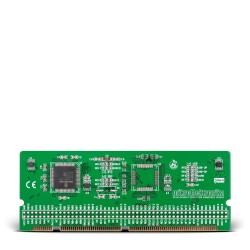
- MCU card with PIC24FJ128GA010-PF.
- USB cable.
- CD with software, drivers and examples in C, BASIC and Pascal.
- Printed documentation that includes: LV 24-33 v6 Manual, LV 24-33 v6 Schematic, mikroICD Manual and Quick Guide for Installing USB Drivers.
This product is shipped with fully functional demo versions of mikroC PRO for dsPIC30/33 and PIC24, mikroBasic PRO for dsPIC30/33 and PIC24 and mikroPascal PRO for dsPIC30/33 and PIC24 compilers. All demo versions include a hex output limited to 6k of program words. These compilers come with examples for easy prototype development.
Accessory Boards
Accessory Boards were designed to allow students or engineers to easily exercise and explore the capabilities of the various microcontrollers with peripheral devices such as: ADC, DAC, CAN, Ethernet, IrDA, MP3, RS485 and many more. Click on the image below to find accessory boards that suits your needs. Note: Accessory Boards are sold separately.